
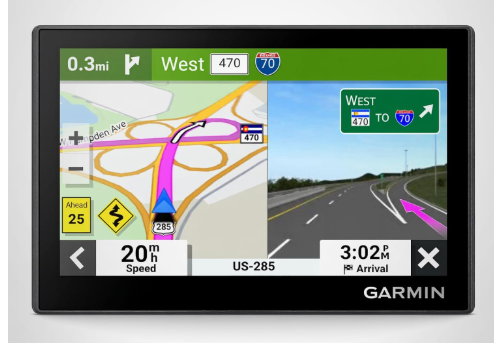
Finding the best GPS navigator with voice command can make every drive safer, easier, and more enjoyable. I appreciate how modern GPS navigators allow me to get directions, search for destinations, and access useful travel information through simple voice commands, helping me keep my hands on the wheel and my attention on the road.
In addition to voice controlled navigation, many of these devices offer valuable features such as live traffic updates, driver alerts, hands free calling, travel recommendations, and detailed map guidance.
In this guide, I’ll explore the top GPS navigators with voice command, highlight their key features, discuss what makes them stand out, provide a helpful buying guide, and answer some frequently asked questions to help you choose the right navigator for your driving needs.
Best GPS Navigator With Voice Command
1) Garmin DriveSmart 86
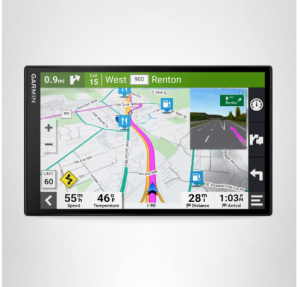
The Garmin DriveSmart 86 is an excellent choice for drivers who want one of the best GPS navigators with voice command capabilities. Designed with convenience and road awareness in mind, this navigator features a large 8-inch high-resolution display that can be viewed in either landscape or portrait orientation.
The generous screen size makes maps, directions, and travel information easy to read at a glance, helping drivers stay focused on the road. With detailed map updates covering North America, the DriveSmart 86 ensures reliable navigation for both daily commutes and long-distance road trips.
One of the most impressive aspects of the Garmin DriveSmart 86 is its advanced voice control functionality. Garmin Voice Assist allows you to request directions simply by speaking, reducing the need to interact with the screen while driving.
When paired with a compatible smartphone through Bluetooth technology, the device also supports hands-free calling, making it easier to stay connected safely. The addition of Alexa Built-in expands its capabilities even further, allowing drivers to play music, listen to audiobooks, check the news, and perform other voice-controlled tasks without taking their hands off the wheel.
The DriveSmart 86 is packed with travel-focused features that enhance every journey. Drivers can explore points of interest through the HISTORY database of notable locations, browse Tripadvisor traveler ratings, and access millions of Foursquare points of interest.
The built-in U.S. National Parks Directory is particularly useful for travelers planning outdoor adventures, offering quick access to information about popular parks and attractions along the route.
Safety and awareness are also key strengths of this GPS navigator. Driver alerts notify you of upcoming school zones, sharp curves, speed limit changes, and other important road conditions. These alerts help improve situational awareness and encourage safer driving habits.
Garmin Real Directions further enhances navigation by using recognizable landmarks and traffic signals to guide drivers, making directions easier to follow than traditional street-name instructions alone.
When connected to the Garmin Drive app on a compatible smartphone, the DriveSmart 86 provides access to live traffic updates, weather forecasts, fuel prices, parking information, traffic cameras, and smart notifications.
These real-time updates help drivers avoid delays, locate convenient services, and make informed travel decisions. Built-in Wi-Fi connectivity simplifies software and map updates, eliminating the need for a computer.
Garmin also includes a dual USB charger, providing an additional charging port for phones, tablets, and other electronic devices during travel.
Pros
- Large 8-inch high-resolution display is easy to read
- Dual-orientation screen supports portrait and landscape viewing
- Garmin Voice Assist enables convenient hands-free navigation
- Bluetooth hands-free calling improves driving convenience
- Alexa Built-in adds voice-controlled entertainment and information
- Live traffic, weather, parking, and fuel price updates through the Garmin Drive app
- Extensive travel resources including Tripadvisor ratings and Foursquare points of interest
- Useful driver alerts for increased road awareness
- Built-in Wi-Fi makes updates quick and simple
- Includes a dual USB charger for charging additional devices
Cons
- Many connected features require pairing with a compatible smartphone
For drivers seeking a premium GPS navigator with reliable voice commands, smart connectivity, and comprehensive travel tools, the Garmin DriveSmart 86 delivers an impressive combination of navigation accuracy, convenience, and road-trip-ready features.
Its large display, hands-free operation, and real-time travel information make it one of the best GPS navigators with voice command available today.
2) Garmin DriveSmart 76, 7-inch Car GPS Navigator
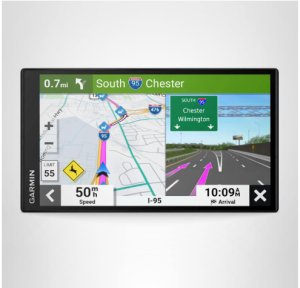
The Garmin DriveSmart 76 is an excellent option for drivers looking for one of the best GPS navigators with voice command functionality. Featuring a bright 7 inch high resolution display, this navigator provides clear and easy to read maps, directions, and travel information.
With detailed map updates covering North America, it delivers reliable navigation whether you are commuting daily or embarking on a long road trip.
Voice control is one of the strongest aspects of the DriveSmart 76. Garmin Voice Assist allows you to request directions using simple spoken commands, helping you keep your attention on the road. When paired with a compatible smartphone through Bluetooth technology, the device also supports hands free calling, making it easier and safer to stay connected while driving.
The DriveSmart 76 is designed with travelers in mind. It includes the HISTORY database of notable sites, a U.S. National Parks Directory, Tripadvisor traveler ratings, and millions of Foursquare points of interest. These tools make it easy to discover interesting attractions, restaurants, landmarks, and services along your route, adding value to every journey.
For improved road awareness, the navigator provides helpful driver alerts that notify you of upcoming school zones, sharp curves, speed changes, and other important driving conditions. Garmin Real Directions enhances the navigation experience by using recognizable landmarks and traffic signals as reference points, making directions easier to understand and follow.
Connected features further expand the capabilities of the DriveSmart 76. When paired with the Garmin Drive app on a compatible smartphone, drivers can access live traffic information, fuel prices, weather updates, parking availability, traffic cameras, and smart notifications. These real time updates help reduce delays and make trip planning more efficient.
Alexa Built In adds another layer of convenience by allowing users to play music, listen to audiobooks, hear the latest news, and perform various voice controlled tasks. Built in Wi Fi connectivity makes map and software updates simple without requiring a computer, while the included dual USB charger offers an extra charging port for phones, tablets, and other electronic devices.
Pros
- Large and easy to read 7 inch high resolution display
- Garmin Voice Assist enables convenient hands free navigation
- Bluetooth hands free calling support
- Alexa Built In for voice controlled entertainment and information
- Live traffic, weather, parking, and fuel price updates through the Garmin Drive app
- Helpful driver alerts improve situational awareness
- Includes Tripadvisor ratings and millions of Foursquare points of interest
- National Parks Directory and HISTORY database enhance road trips
- Built in Wi Fi allows simple map and software updates
- Dual USB charger provides extra charging capability
Cons
- Many connected features require a compatible smartphone
The Garmin DriveSmart 76 combines accurate navigation, responsive voice commands, and a wide range of smart travel features in a user friendly package. Its large display, hands free operation, real time travel updates, and extensive points of interest make it a strong choice for drivers who want a dependable GPS navigator with voice command capabilities.
Whether for daily driving or extended road trips, the DriveSmart 76 delivers a convenient and feature rich navigation experience.
3) Garmin DriveSmart 66, 6-inch Car GPS Navigator
The Garmin DriveSmart 66 is a feature packed GPS navigator that combines reliable navigation, voice command functionality, and smart connectivity in a compact 6 inch design. As one of the best GPS navigators with voice command, it offers an excellent balance between screen size and dashboard convenience.
The high resolution display provides clear maps and directions, while included map updates for North America help ensure accurate routing for everyday driving and long distance travel.
Voice control is one of the key reasons drivers choose the DriveSmart 66. Garmin Voice Assist allows you to request directions using simple spoken commands, reducing the need to interact with the screen while driving.
When connected to a compatible smartphone through Bluetooth technology, the device also supports hands free calling, making communication easier and safer on the road.
The DriveSmart 66 is designed to enhance road trips and everyday journeys alike. Travelers can explore the included HISTORY database of notable sites to discover historical landmarks and attractions along their routes.
The navigator also features a U.S. National Parks Directory, Tripadvisor traveler ratings, and millions of Foursquare points of interest, helping users find restaurants, hotels, attractions, and services with ease.
Safety and awareness are important strengths of this GPS navigator. Driver alerts provide notifications for upcoming school zones, sharp curves, speed changes, and other road conditions that require extra attention. Garmin Real Directions further improves navigation by referencing recognizable landmarks and traffic signals, making directions more intuitive and easier to follow.
When paired with the Garmin Drive app on a compatible smartphone, the DriveSmart 66 delivers access to live traffic information, weather forecasts, parking availability, fuel prices, and smart notifications. These connected features help drivers make informed decisions and avoid unnecessary delays.
Alexa Built In expands functionality even further, allowing users to play music, listen to audiobooks, check the news, and access voice controlled assistance while keeping their hands on the wheel.
Convenience extends beyond navigation thanks to built in Wi Fi connectivity, which allows map and software updates without connecting to a computer. Garmin also includes a dual USB charger, providing an extra charging port for phones, tablets, and other electronic devices during travel.
Pros
- Bright and easy to read 6 inch high resolution display
- Garmin Voice Assist enables convenient voice controlled navigation
- Bluetooth hands free calling support
- Alexa Built In adds voice controlled entertainment and information access
- Live traffic, weather, fuel prices, and parking information through the Garmin Drive app
- Helpful driver alerts improve situational awareness
- Includes HISTORY database of notable historical sites
- Features Tripadvisor ratings and millions of Foursquare points of interest
- Built in Wi Fi simplifies map and software updates
- Dual USB charger adds extra charging convenience
Cons
- Several smart features require a compatible smartphone connection
The Garmin DriveSmart 66 delivers an impressive combination of navigation accuracy, voice command convenience, and travel focused features in a compact package.
Its responsive voice controls, useful road trip tools, real time traffic updates, and smart connectivity make it an excellent choice for drivers seeking one of the best GPS navigators with voice command. Whether navigating daily commutes or planning cross country adventures, the DriveSmart 66 provides a dependable and user friendly driving experience.
4) Garmin DriveSmart 55 EX with Traffic, 5.5-inch Car GPS Navigator
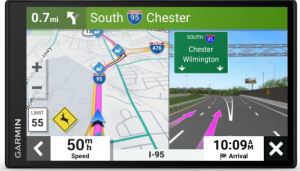
The Garmin DriveSmart 55 EX with Traffic is an excellent choice for drivers seeking one of the best GPS navigators with voice command functionality. Its bright 5.5 inch edge to edge touchscreen provides a clear and detailed view of maps, routes, and navigation information.
Despite its compact size, the display offers excellent visibility, making it easy to read directions and important travel details while on the road. With detailed map updates of North America included, drivers can travel confidently knowing they have access to current navigation data.
One of the most appealing features of the DriveSmart 55 EX is its voice activated navigation. Garmin Voice Assist allows you to simply speak your destination, and the navigator responds to your commands by guiding you to the location.
This hands free approach enhances convenience and helps drivers keep their focus on the road rather than interacting with the screen.
The navigator also supports Bluetooth wireless technology, allowing it to pair with a compatible smartphone for hands free calling. This feature enables drivers to make and receive calls without taking their hands off the wheel.
In addition, smart notifications display text messages and other phone alerts directly on the GPS screen, helping users stay connected while minimizing distractions.
When connected to the Garmin Drive app on a compatible smartphone, the DriveSmart 55 EX gains access to a variety of useful real time services. Live traffic updates help drivers avoid congestion and discover faster alternate routes.
The navigator also provides weather forecasts, current weather conditions, animated radar, and storm alerts, making it easier to prepare for changing road conditions. Real time fuel price updates along your route can also help you find more affordable fuel stops during your trip.
The overall navigation experience is smooth and user friendly, thanks to Garmin’s intuitive interface and reliable routing. Whether you are commuting through busy city streets or taking a longer road trip, the DriveSmart 55 EX offers a practical combination of voice control, traffic awareness, and connected travel features.
Pros
- Bright 5.5 inch edge to edge touchscreen display
- Garmin Voice Assist supports convenient voice controlled navigation
- Detailed North America map updates included
- Bluetooth hands free calling capability
- Displays text messages and smartphone notifications on screen
- Live traffic updates help reduce travel delays
- Provides weather forecasts, radar, and storm alerts
- Real time fuel price information through the Garmin Drive app
- Compact size fits easily in most vehicles
- Easy to use interface with clear navigation guidance
Cons
- Several connected features require a compatible smartphone and Garmin Drive app
The Garmin DriveSmart 55 EX with Traffic delivers an impressive mix of voice controlled navigation, real time traffic information, and smart connectivity features in a compact and affordable package.
Its bright touchscreen, reliable routing, hands free calling, and live travel updates make it a strong option for drivers who want one of the best GPS navigators with voice command capabilities. For everyday commuting and road trip navigation alike, the DriveSmart 55 EX provides a dependable and convenient driving companion.
5) Garmin Drive™ 53 GPS Navigator
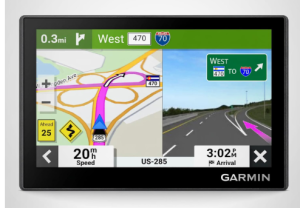
The Garmin Drive™ 53 is a compact and user friendly GPS navigator that delivers reliable navigation and practical travel tools for everyday drivers. As one of the best GPS navigators with voice command guidance, it combines clear route directions, useful driver alerts, and travel focused features in an affordable package.
Its bright 5 inch high resolution glass capacitive touchscreen provides a crisp view of maps and directions, making it easy to follow your route whether driving through busy city streets or exploring unfamiliar destinations.
Navigation is simple and intuitive thanks to Garmin Real Directions. Instead of relying solely on street names, the device provides spoken turn by turn directions using recognizable landmarks, traffic signals, and buildings as reference points.
This natural guidance style makes directions easier to understand and follow. The Garmin Drive 53 includes detailed North America maps along with map updates, helping ensure accurate routing throughout your travels.
Road trips become more enjoyable with the navigator’s travel planning features. Drivers can view food stops, fuel stations, and rest areas along their active route without interrupting navigation. Tripadvisor traveler ratings help identify highly rated restaurants, hotels, and attractions nearby, making it easier to discover worthwhile stops during a journey.
The included U.S. National Parks directory is another valuable addition, simplifying navigation to park entrances, visitor centers, and notable landmarks within national parks.
Safety and awareness receive significant attention with the Garmin Drive 53. Driver alerts notify users about school zones, speed changes, sharp curves, red light cameras, and speed camera locations. These notifications help drivers stay informed about upcoming road conditions and potential hazards.
The navigator also displays upcoming cities and milestones, giving travelers a better sense of progress during long drives.
Connectivity features add convenience without making the device overly complicated. Bluetooth compatibility allows connection with Android and iPhone devices, while USB connectivity supports map updates through Garmin Express.
The device includes 16 GB of internal storage and a microSD card slot that supports additional storage when needed. The package comes with a vehicle suction cup mount, vehicle power cable, and USB cable, providing everything necessary for installation and use.
Customer feedback highlights the device’s strong performance in quality, ease of use, and screen clarity. Many users appreciate the bright display and straightforward navigation experience. While some drivers prefer larger screens, the compact size makes the Garmin Drive 53 a practical option for vehicles with limited dashboard space.
Pros
- Bright and responsive 5 inch glass capacitive touchscreen
- Clear spoken turn by turn directions with Garmin Real Directions
- Detailed North America maps with map updates included
- Driver alerts for school zones, speed changes, sharp curves, and cameras
- Displays food, fuel stations, and rest areas along active routes
- Tripadvisor ratings help locate popular restaurants, hotels, and attractions
- U.S. National Parks directory enhances road trip planning
- Bluetooth compatibility with Android and iPhone devices
- Expandable storage through microSD card support
- Compact design fits comfortably in most vehicles
Cons
- Smaller display compared to larger Garmin DriveSmart models
The Garmin Drive™ 53 is an excellent GPS navigator for drivers who want dependable guidance, useful road trip features, and easy to follow voice directions without paying for premium extras they may not need.
Its bright display, Garmin Real Directions guidance, driver safety alerts, and travel planning tools make it one of the best GPS navigators with voice command guidance for everyday driving and long distance travel. For users who value simplicity, reliability, and ease of use, the Garmin Drive 53 is a smart and practical choice.
Next read: 7 Best GPS Navigation Devices For Hiking
Factors To Consider When Choosing The Best GPS Navigator With Voice Command
1. Voice Command Accuracy
The primary reason for choosing a GPS navigator with voice command functionality is the ability to navigate without taking your hands off the wheel. Look for a device that accurately recognizes spoken commands and responds quickly to destination requests.
Reliable voice recognition reduces distractions and improves safety by allowing drivers to control navigation through simple verbal instructions.
2. Display Size and Screen Quality
Screen size plays a major role in the overall navigation experience. Larger displays make maps, directions, and route information easier to read, especially during long drives or in unfamiliar areas. A high resolution screen with good brightness and clear graphics helps ensure visibility in both daytime and nighttime driving conditions. Choosing the right screen size depends on your vehicle space and personal preferences.
3. Map Coverage and Updates
A GPS navigator is only as useful as the quality of its maps. Consider whether the device includes detailed maps for the regions where you travel most frequently. Regular map updates are equally important because roads, speed limits, and points of interest change over time. Devices that offer convenient map updates help maintain accurate and reliable navigation.
4. Real Time Traffic and Travel Information
Modern GPS navigators often provide live traffic updates, weather forecasts, fuel prices, parking information, and traffic camera data when connected to a smartphone. These features help drivers avoid congestion, plan efficient routes, and make informed travel decisions. Real time information can save both time and fuel during daily commutes and road trips.
5. Driver Safety Alerts
Many GPS navigators include alerts for school zones, speed changes, sharp curves, red light cameras, and other road conditions. These notifications improve situational awareness and encourage safer driving habits. A navigator with comprehensive driver alerts can help you stay informed about upcoming hazards and changes along your route.
6. Smartphone Connectivity
Bluetooth and smartphone integration add significant convenience to a GPS navigator. Connected devices can support hands free calling, text notifications, live traffic updates, weather reports, and other smart features. Before purchasing, ensure the navigator is compatible with your smartphone and offers the connected services that matter most to you.
7. Travel and Point of Interest Features
If you frequently travel or enjoy road trips, consider a navigator that includes extensive points of interest and travel resources. Features such as restaurant ratings, hotel recommendations, attraction guides, historical site databases, national park directories, and route planning tools can make journeys more enjoyable and help you discover new destinations along the way.
8. Ease of Updates and Overall Usability
A GPS navigator should be simple to operate, even while driving. Look for an intuitive interface, responsive touchscreen, and straightforward menu system. Built in Wi Fi or easy update methods can simplify software and map maintenance.
A user friendly device reduces frustration and allows you to focus on driving rather than learning complicated controls.
Choosing the best GPS navigator with voice command involves more than simply selecting a device with spoken directions.
Factors such as voice recognition quality, display size, map accuracy, real time travel information, safety alerts, smartphone connectivity, travel resources, and ease of use all contribute to the overall driving experience. By carefully evaluating these features, you can find a navigator that delivers reliable guidance, greater convenience, and improved confidence on the road.
Next read: 9 Best Handheld GPS Navigation Devices
Advantages Of Using GPS Navigator With Voice Command
1. Improved Driving Safety
One of the biggest advantages of a GPS navigator with voice command is improved safety on the road. Instead of manually entering destinations or adjusting settings while driving, you can simply speak your commands.
This allows you to keep your hands on the steering wheel and your eyes focused on traffic conditions, reducing distractions and helping you react more quickly to potential hazards.
2. Greater Convenience During Travel
Voice command technology makes navigation much more convenient, especially when driving in unfamiliar areas. Rather than stopping to enter an address or search for a location, drivers can request directions through simple spoken commands. This hands free operation saves time and makes the overall driving experience smoother and more enjoyable.
3. Easier Route Changes
Travel plans can change unexpectedly due to traffic, road closures, weather conditions, or personal preferences. A GPS navigator with voice command allows drivers to quickly request a new destination or alternative route without interacting with the screen. This flexibility helps maintain focus on driving while still adapting to changing travel needs.
4. Reduced Driver Stress
Navigating unfamiliar roads can be stressful, particularly in busy cities or during long road trips. Voice guided directions provide clear instructions that help drivers stay on course without constantly checking a map. The ability to ask for directions verbally creates a more relaxed driving experience and reduces the anxiety often associated with finding new locations.
5. Better Accessibility
Voice command navigation can be especially beneficial for individuals who find touchscreens difficult to use while driving. By allowing spoken interaction, these devices make navigation more accessible and user friendly. Drivers can perform common tasks quickly and efficiently without relying solely on manual controls.
6. Real Time Information Without Distraction
Many voice enabled GPS navigators provide access to live traffic updates, weather reports, fuel prices, parking information, and other travel data. Drivers can often receive this information through voice prompts or spoken requests, allowing them to stay informed without taking attention away from the road. This helps improve travel efficiency and decision making.
7. Enhanced Hands Free Communication
Many GPS navigators with voice command support Bluetooth connectivity and hands free calling when paired with a compatible smartphone. Drivers can make and receive calls while keeping both hands on the wheel. This feature adds convenience while helping maintain safer driving habits compared to handling a phone directly.
8. More Enjoyable Road Trips
Voice command GPS navigators often include travel oriented features such as points of interest, restaurant recommendations, attractions, historical landmarks, and national park directories. Being able to search for these locations through voice commands makes exploring new places easier and more enjoyable. Travelers can spend less time operating the device and more time enjoying the journey.
9. Faster Access to Navigation Features
Voice commands provide a quicker way to access common navigation functions. Drivers can search for destinations, locate nearby services, check route information, or request alternate directions within seconds.
This efficiency is particularly useful when driving in heavy traffic or navigating complex road networks where rapid access to information is important.
10. Increased Confidence Behind the Wheel
A GPS navigator with voice command provides clear guidance, route assistance, and travel information without requiring constant interaction. Drivers can feel more confident knowing they have reliable directions and assistance available whenever needed. This confidence is especially valuable when traveling in unfamiliar regions or undertaking long distance journeys.
GPS navigators with voice command offer numerous benefits that go beyond simple route guidance. They improve safety, enhance convenience, reduce stress, support hands free communication, and provide quick access to valuable travel information. Whether used for daily commuting or cross country adventures, a voice controlled GPS navigator can make every trip more efficient, comfortable, and enjoyable.
Best GPS Navigator With Voice Command FAQs
1. How does voice command work on a GPS navigator?
Voice command allows you to control the GPS navigator using spoken instructions instead of touching the screen. You can typically ask the device to find a destination, start navigation, search for points of interest, or access certain features through simple verbal commands. This hands free functionality helps drivers stay focused on the road while still using navigation tools efficiently.
2. Do GPS navigators with voice command require a smartphone connection?
Basic navigation and voice guided directions usually work without a smartphone connection. However, many advanced features such as live traffic updates, weather forecasts, fuel prices, parking information, smart notifications, and hands free calling often require pairing the navigator with a compatible smartphone through Bluetooth and a companion mobile app. The exact requirements depend on the device and features being used.
3. Are GPS navigators with voice command better than using a smartphone for navigation?
GPS navigators with voice command offer several advantages over smartphone navigation. They typically feature larger, easier to read displays, dedicated navigation hardware, reliable GPS performance, and specialized driving features such as driver alerts, landmark guidance, and extensive travel databases.
Many drivers also prefer having a dedicated navigation device that does not depend entirely on cellular coverage or compete with other smartphone activities during travel.
Conclusion
In conclusion, the best GPS navigators with voice command offer a perfect combination of convenience, safety, and reliable navigation for modern drivers. By allowing users to request directions and access navigation features through simple spoken commands, these devices help reduce distractions and keep attention focused on the road.
Many models also include valuable extras such as live traffic updates, weather information, hands free calling, driver alerts, travel recommendations, and detailed map guidance. Whether you are commuting daily, traveling long distances, or exploring new destinations, a voice enabled GPS navigator provides a more comfortable and efficient driving experience, making it a worthwhile investment for anyone who values easy and dependable navigation.